Настройка IDF оточення для СLI
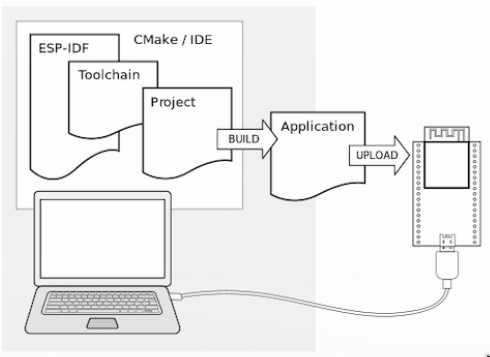
Install
$ sudo pacman -S --needed gcc git make flex bison gperf python cmake ninja ccache dfu-util libusb python-pipInstalling Python 3
Просто перевірте, що Ваша, встановлена версія pyton > 3. Краще, 3.9 Якщо не встановлено, тоді виконуємо наступні команди
$ sudo pacman -S python python-pipStep 2. Get ESP-IDF
Open Terminal, and run the following commands:
mkdir -p ~/esp
cd ~/esp
git clone -b v5.5.1 --recursive https://github.com/espressif/esp-idf.git
ESP-IDF is downloaded into ~/esp/esp-idf.
Step 3. Set up the Tools
Aside from the ESP-IDF, you also need to install the tools used by ESP-IDF, such as the compiler, debugger, Python packages, etc, for projects supporting ESP32.
If you intend to develop projects for more chip targets then you should list all of them and run for example:
cd ~/esp/esp-idf
./install.sh esp32,esp32s3
or with Fish shell
cd ~/esp/esp-idf
./install.fish esp32,esp32s3
In order to install tools for all supported targets please run the following command:
cd ~/esp/esp-idf
./install.sh all
or with Fish shell
cd ~/esp/esp-idf
./install.fish all
Step 4. Set up the Environment Variables
The installed tools are not yet added to the PATH environment variable. To make the tools usable from the command line, some environment variables must be set. ESP-IDF provides another script which does that.
In the terminal where you are going to use ESP-IDF, run:
$ . $HOME/esp/esp-idf/export.sh
or for fish (supported only since fish version 3.0.0):
$ . $HOME/esp/esp-idf/export.fish
Note the space between the leading dot and the path!
If you plan to use esp-idf frequently, you can create an alias for executing export.sh:
Copy and paste the following command to your shell's profile (.profile, .bashrc, .zprofile, etc.)
alias get_idf='. $HOME/esp/esp-idf/export.sh'For fish shell, open ~/.config/fish/config.fish and add:
function get_idf
    # Зверніть увагу на шлях, якщо він відрізняється
    set -x IDF_PATH $HOME/esp/esp-idf
    set -x IDF_PYTHON_ENV_PATH $HOME/.espressif/python_env/idf5.5_py3.13_env
    source $IDF_PATH/export.fish
end
Refresh the configuration by restarting the terminal session or by running source [path to profile], for example, source ~/.bashrc.
Now you can run get_idf to set up or refresh the esp-idf environment in any terminal session.
Technically, you can add export.sh to your shell's profile directly; however, it is not recommended. Doing so activates IDF virtual environment in every terminal session (including those where IDF is not needed), defeating the purpose of the virtual environment and likely affecting other software.